EZOutlookSync
Synchronize Outlook data between two or more Windows PCs without a cloud service.
EZOutlookSync can also be used to back up and migrate Outlook data between computers.
Main features
- Synchronize Outlook data between two or more PCs
- Two-way or one-way synchronization
- Synchronize Calendar, Contacts, Mail, Tasks, Notes, Distribution Lists, and Journal
- Save synchronization settings in profiles for later use
- Schedule automatic synchronizations
- Limit the data and time range included in synchronization
- Customize item comparison settings
- Command-line support
Screenshots

Main window
Select Outlook data and folders to synchronize and choose the synchronization direction.
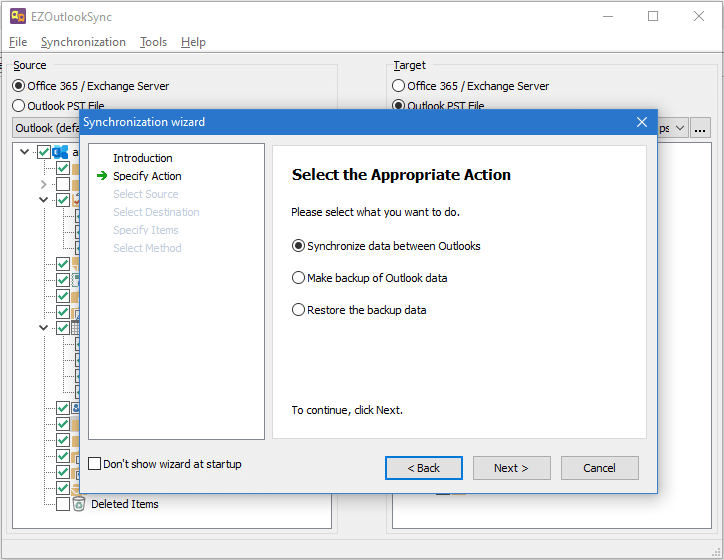
Synchronization wizard
Set up your first synchronization with the step-by-step wizard.

Synchronization summary
Review which items will be synchronized before starting the synchronization.
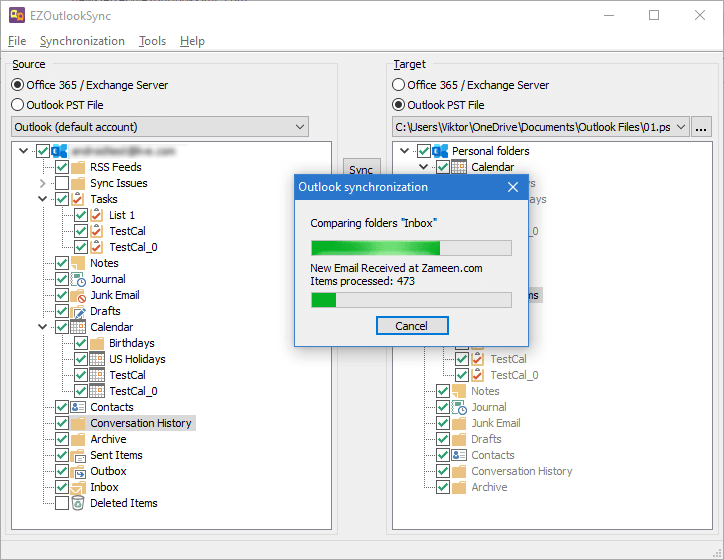
Synchronization process
View synchronization progress and the number of processed items.
Get started with EZOutlookSync
Try EZOutlookSync with a 30-day free trial. No signup is required.
Supported Outlook versions:
Outlook 2010, 2013, 2016, 2019, 2021, 2024, and Classic Outlook for Microsoft 365.
Pricing
Every EZOutlookSync license includes:
- Unlimited synchronizations
- Lifetime support
- 30-day money-back guarantee
Keep the version you purchase forever, with free updates for one year from the purchase date.
Renewal options
Already own an EZOutlookSync license? Renew your updates for another year.